


When I was a kid, whenever my family and I travelled on a DTC bus in Delhi, I always ended up puking. As far as I remember, not a single trip went by without me feeling uneasy. To this day, I still get a feeling of dizziness and nausea whenever I take a taxi from the airport to the hotel or travel by bus from one city to another, and this uneasiness only grows when I am visiting hilly areas. However, as a seasoned traveller now, I prepare well in advance: I keep ginger candies and a cold drink with me, sit facing forward, change my position often, sit near the window, think positively, and avoid reading a book or looking at my phone. Still, I can’t escape the thought or the feeling of motion sickness and I inevitably end up checking my phone when I need navigation or have to read a WhatsApp message.
As I am still trying to figure out the best ways to deal with motion sickness, I recently stumbled upon a hidden feature on my iPhone Air (actually, it’s available on any iPhone running iOS 18 or higher). It’s called Vehicle Motion Cues, and its purpose is to help reduce motion sickness when you are in a moving car or bus. The feature can be especially useful if you are someone like me who experiences motion sickness and immediately starts feeling nauseous. I decided to give it a try, and here’s what the “Vehicle Motion Cues” feature does.

What is motion sickness and why does it happen?
Motion sickness is very common – nearly a third of people experience it, and nobody knows exactly what causes it. One common theory suggests that motion sickness is triggered by a poor perception of movement. Others say it occurs when there’s a mismatch between what your eyes see and what your inner ear senses, leading to symptoms like dizziness, nausea, vomiting, sweating, and paleness. In a moving car or bus, it is more likely to feel it, adding up to unpleasant movements when you start to feel the symptoms. For some people, it starts to develop in a few minutes when you get into a car; others develop a bit slowly.
A lot depends on the conditions of the journey, which can contribute to motion sickness. In summer, the risk of developing car sickness is higher. Air conditioning and poor ventilation can worsen motion sickness for sensitive passengers. Unpleasant smells, such as traffic fumes, smoke, or heated materials, also increase nausea, especially during the summer. This happens because a brain region called the area postrema triggers nausea and excess saliva as a protective response to certain odors and toxins. Traffic jams can also cause motion sickness.
To reduce motion sickness, sit as far forward as possible (ideally near the driver), avoid screens and readouts, closing your eyes or sleeping can help, and reclining your seat reduces destabilisation.
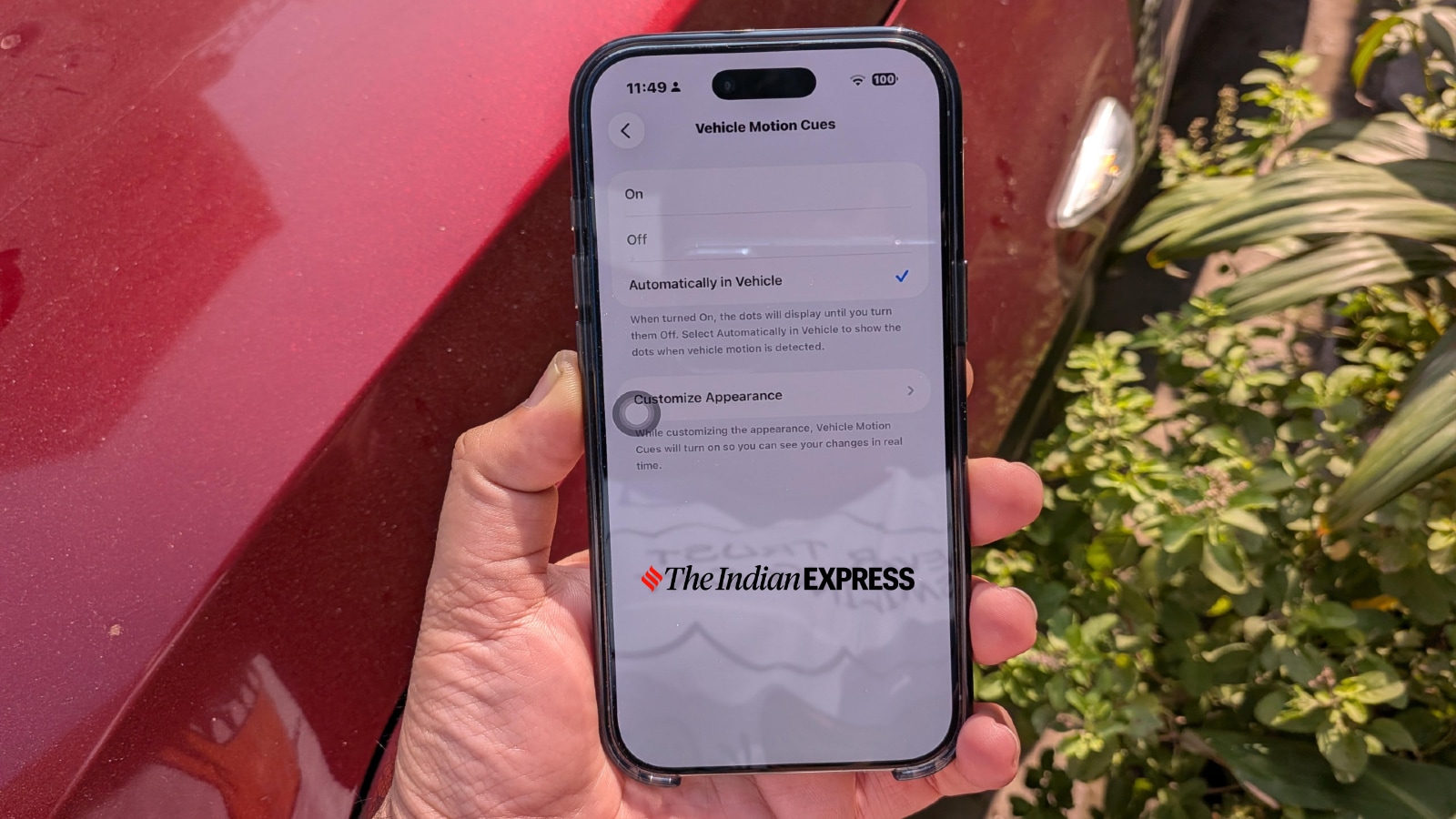 Vehicle Motion Cues is designed for use in a moving car or bus and is primarily meant for passengers facing forward. It is ineffective if you are on a train facing backward. (Image credit: Anuj Bhatia/Indian Express)
How does Apple’s motion sickness feature work?
Apple offers a unique solution for motion sickness, and if you have an iPhone or iPad, you can try it immediately, making it accessible to everyone. However, it’s an accessibility feature and you have to dig deep into the settings to enable it. The Vehicle Motion Cues feature displays small moving dots on your iPhone that mimic your car’s motion, helping your brain align visual and inner ear signals to reduce or even eliminate motion sickness. Using its built-in accelerometer, your iPhone senses when you are travelling in a moving vehicle. So, the car moves, the dots move in the opposite direction of the turn.
“Research shows that motion sickness is commonly caused by a sensory conflict between what a person sees and what they feel, which can prevent some users from comfortably using iPhone or iPad while riding in a moving vehicle,” Apple said when it unveiled the feature in 2024.
Story continues below this ad
Users can turn this feature on or off in their device’s settings, or set it to activate automatically when it detects that they are in a moving vehicle.
How to enable Visual Motion Cues on your iPhone, iPad
*Open Settings.
*Select Accessibility.
*Select Motion.
*Select Visual Motion Cues.
*You will notice two switches: one to turn on the feature, and another to make it display only when your iPhone detects that it is in a moving vehicle.
You can also add Vehicle Motion Cues to Control Center, where you can access it more quickly. Just swipe down from the top right of your iPhone to open Control Center. Tap the plus icon in the upper left, then select “Add a Control.”
Did Apple’s motion‑sickness feature work as promised?
As I mentioned before, I have struggled with motion sickness all my life, and I could barely read a book or look at my phone in a car for years. At first, when I began using Apple’s motion sickness feature, I was unconvinced. After about 15 minutes in a moving car on my way to the airport, I felt the feature was ineffective, and nausea started to kick in. However, I paused, opened my Kindle app on my iPhone Air, and started reading a book. I spent 20 minutes reading and finished a whole chapter – and I was fine.
Story continues below this ad
Sure, for a few seconds, the set of animated dots on the content you are viewing may seem annoying, but subconsciously, you start to focus on what you are reading or watching, with the dots fading into the background. It’s similar to the crease in the center of a foldable phone screen: you notice it, but it never really irritates you.
The animated dots serve a purpose. When the device senses changes in the vehicle’s motion, the dots trick your brain into thinking everything is stable, preventing the sensation that makes you feel puke.
That being said, I still feel that Apple’s motion sickness feature may not work 100 per cent of the time. It might work for some people but not for others, simply because each individual has a different level of motion sickness. I don’t know whether I fall on the mild or severe end of the spectrum, but for me, it worked. I am still getting used to Vehicle Motion Cues and will continue to use it. I see a lot of potential in features like Vehicle Motion Cues, which are designed to address an issue that affects more people than you might think.
